
Related Fairoaks resources: Managed IT services | Construction company IT support | Client stories and testimonials
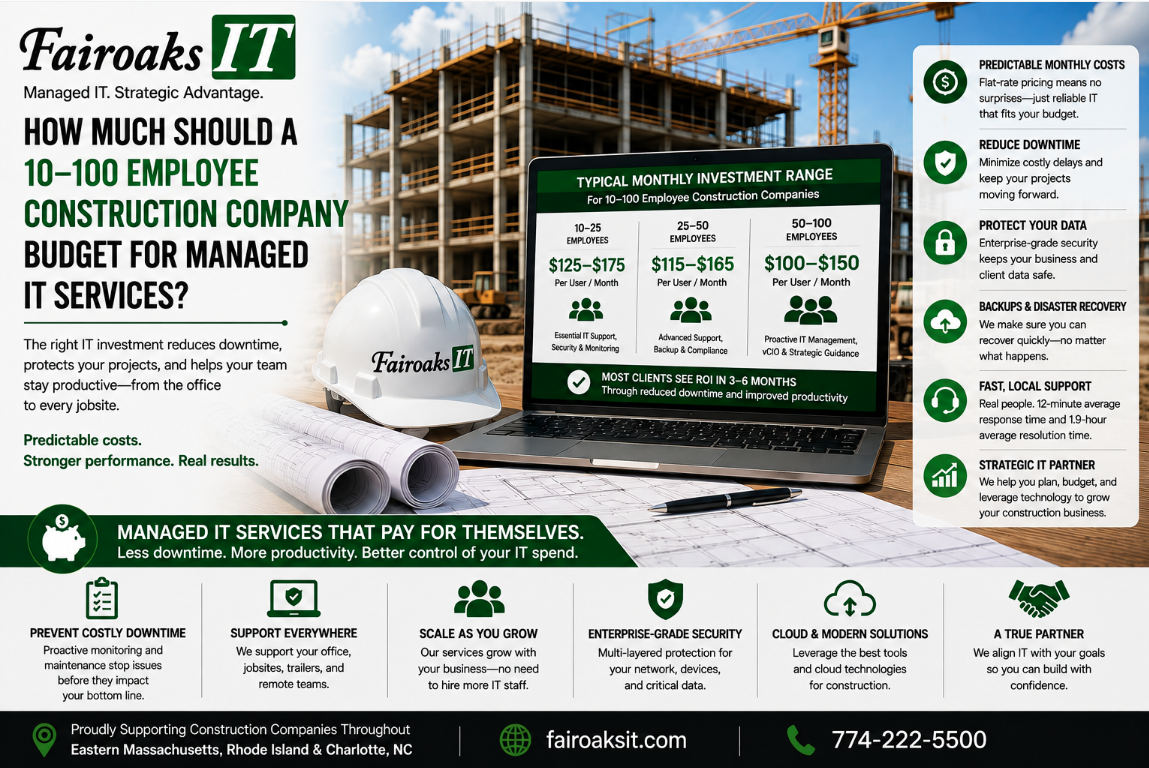
A construction company with 10–100 employees should generally expect to budget approximately $150–$250 per user per month for comprehensive managed IT services from Fairoaks IT, depending on the company's technology complexity and compliance requirements.
That means a 40-user construction company might use $6,000–$10,000 per month as an initial planning range before accounting for items or projects outside the managed-services agreement.
But multiplying employees by a monthly price isn't enough to evaluate an IT proposal.
Construction companies have technology requirements that conventional offices may not. They operate temporary jobsites, support remote superintendents, transfer large drawings and project files, depend on specialized construction applications, and sometimes have security or compliance obligations.
A better way to understand managed IT pricing is:
Users → Complexity → Security & Compliance → Scope → Business Impact
Here's what each factor means.
- Start With the Number of Users Being Supported
User count is a useful starting point because every employee creates some level of IT support and security requirement.
For Fairoaks' target construction clients, a preliminary budgeting calculation using our $150–$250 per-user monthly range looks like this:
| Employees | Approximate Monthly Range | Approximate Annual Range |
| 10 | $1,500–$2,500 | $18,000–$30,000 |
| 25 | $3,750–$6,250 | $45,000–$75,000 |
| 40 | $6,000–$10,000 | $72,000–$120,000 |
| 50 | $7,500–$12,500 | $90,000–$150,000 |
| 75 | $11,250–$18,750 | $135,000–$225,000 |
| 100 | $15,000–$25,000 | $180,000–$300,000 |
These figures are budgeting examples, not quotes. Actual pricing depends on the environment, requirements, and scope of services.
User count also doesn't tell the whole story.
Two 40-person contractors can have dramatically different technology environments.
One might have a relatively simple office with several cloud applications.
Another might operate numerous simultaneous jobsites, maintain specialized servers and construction applications, have complex remote-access requirements, and need to satisfy demanding cybersecurity or compliance requirements.
They're both 40-person companies.
They don't necessarily have the same IT needs.
That's why the next factor matters.
- Evaluate the Complexity of the Construction Environment
The question isn't simply:
“How many employees do you have?”
It's also:
“What technology does the company depend on to operate?”
Construction companies may rely on applications and systems such as:
- Procore
- Bluebeam
- Autodesk products
- Sage/Timberline
- On-Screen Takeoff
- ConEst/IntelliBid
- Bid2Win
- Trimble
- Microsoft 365
- SharePoint
- Teams
- Company servers
- Remote-access systems
Then add the field environment.
A contractor might have 40 employees but simultaneously operate several temporary jobsites throughout Massachusetts and Rhode Island.
Those jobsites may need reliable internet, Wi-Fi, networking equipment, secure access to company resources, and technical support.
The MSP may also need to troubleshoot the entire path between the field and office.
That makes complexity one of the most important variables when comparing managed IT prices.
Ask potential providers whether their price accounts for:
- Multiple locations
- Temporary jobsites
- Remote employees and superintendents
- Specialized construction applications
- Servers
- Large project files
- Network infrastructure
- Cloud platforms
- Mobile or field access
- Jobsite connectivity
A quote that appears inexpensive can become less attractive if many of those requirements are considered “out of scope.”
- Determine Your Security and Compliance Requirements
Security and compliance can also affect managed IT costs.
The right level of protection depends on the company's risks, contractual requirements, customers, and regulatory environment.
This is why Fairoaks' managed IT pricing can vary between approximately $150 and $250 per user per month depending, in part, on compliance requirements.
A contractor with relatively straightforward requirements may not need the same security and compliance program as a contractor handling more sensitive information or working under stricter contractual obligations.
When comparing proposals, don't simply ask:
“Does cybersecurity come with it?”
Ask what that actually means.
Questions should include:
- What security services are included?
- What isn't included?
- How are user accounts protected?
- How are remote employees protected?
- How are company systems monitored?
- How are backups and recovery addressed?
- How are security incidents handled?
- Can the provider help with our specific compliance requirements?
- Are additional security or compliance services billed separately?
This is an area where two MSP proposals with similar-looking prices may represent very different levels of service.
Compare the actual protection—not just the word “security” on the proposal.
- Understand Exactly What the Monthly Fee Includes
One of the most important questions when evaluating managed IT pricing is:
What am I actually buying?
A per-user price isn't useful unless you understand its scope.
When reviewing proposals, compare at least these five areas:
Support → Management → Security → Projects → Exclusions
Support
What end-user support is included?
Are there restrictions on when employees can request help?
How are urgent issues handled?
Are remote employees and jobsites supported?
Management
Who manages the company's computers, network, servers, cloud systems, and other infrastructure?
What monitoring and maintenance are included?
Security
Which security technologies and services are part of the agreement?
Which require additional fees?
Projects
What happens when the company opens a new jobsite, replaces a server, moves an office, or undertakes a significant technology project?
Is project labor included or billed separately?
Exclusions
Finally, ask the most revealing question:
“What isn't included?”
A lower monthly price can be attractive until you discover that many of the services you assumed were covered generate additional invoices.
The goal should be predictable IT spending—not simply the lowest advertised per-user number.
- Factor in Response and Resolution Performance
Cost shouldn't be evaluated separately from service performance.
Suppose one IT company charges less but routinely leaves employees waiting hours for assistance.
What does that delay cost?
Construction employees aren't hired to troubleshoot computers, networks, printers, internet connections, or software.
When technology prevents someone from doing their job, the business is paying for two things:
the IT service and the employee's lost productivity.
That's why contractors should ask prospective MSPs for actual service statistics.
At Fairoaks IT, our average ticket response time is 12 minutes, and our average problem resolution time is 1.9 hours.
Those numbers provide something concrete to evaluate.
When comparing providers, ask:
- What is your average response time?
- What is your average resolution time?
- How do you measure those numbers?
- How are urgent construction or jobsite problems prioritized?
- Can you show us your actual service performance?
A cheap IT provider that doesn't solve problems efficiently can become expensive very quickly.
What Does Managed IT Cost for a 40-Person Construction Company?
Consider a 40-person general contractor.
Using Fairoaks' approximate $150–$250 per-user monthly range, an initial planning estimate would be:
40 users × $150–$250 = approximately $6,000–$10,000 per month
Or:
approximately $72,000–$120,000 per year
Again, that's a budgeting range—not a proposal.
Where the company falls within that range depends on factors such as its environment, complexity, compliance requirements, and agreed-upon service scope.
A contractor shouldn't automatically conclude that $6,000 is good and $10,000 is bad.
The more useful comparison is:
What business outcome and level of protection are we receiving for the money?
Real-World Example: Why Standardization Matters
Fairoaks recently took responsibility for IT support for a 40-person construction company operating multiple jobs throughout Eastern Massachusetts, Rhode Island and Charlotte, North Carolina.
The company was having problems maintaining reliable communication with its jobsite trailers.
Employees couldn't consistently upload daily reports and jobsite photos, and keeping field personnel supplied with the latest drawings was challenging.
The underlying technology environment was inconsistent.
Different jobsite trailers had different equipment and configurations. Documentation was lacking, which made problems more difficult to troubleshoot. Some locations weren't using the most appropriate available internet service.
Fairoaks worked with the contractor to develop and document a standard jobsite technology configuration tailored to its operations and deploy that standard consistently.
The result was a 75% reduction in jobsite communication issues.
That's an important consideration when evaluating IT spending.
Managed IT shouldn't simply purchase access to a help desk.
The provider should be helping the company identify recurring technology problems, develop standards, and improve the environment so employees encounter fewer disruptions in the first place.
How Should You Compare Two Managed IT Quotes?
If you're comparing MSP proposals, use this five-part framework:
- Price
What is the total expected monthly and annual cost?
- Included Services
What support, management, security, and technology are included?
- Response Commitment
How quickly does the provider actually respond to and resolve problems?
- Construction Expertise
Does the MSP understand temporary jobsites, remote superintendents, construction applications, and large project files?
- Security and Compliance
Does the proposed service provide the level of protection your business and contracts require?
Put those together:
Price + Included Services + Response Performance + Construction Expertise + Security
Now you're comparing value rather than simply comparing two monthly numbers.
10 Questions to Ask an MSP About Pricing
Before signing a managed IT agreement, ask:
- What is the expected monthly cost for a company our size?
- What services are included in that price?
- What isn't included?
- What circumstances could cause our monthly cost to increase?
- How are new employees priced?
- How are temporary jobsites supported and billed?
- Are major IT projects included or billed separately?
- What security and compliance services are included?
- What are your actual average response and resolution times?
- What experience do you have supporting construction companies like ours?
If a provider can't clearly explain the answers, the proposal isn't clear enough yet.
So, How Much Should a Construction Company Budget for Managed IT?
For the 10–100 employee construction companies Fairoaks typically works with, a useful starting point is approximately $150–$250 per user per month, with the actual amount depending on complexity, compliance requirements, and scope.
For a 40-user contractor, that translates into an initial planning range of approximately $6,000–$10,000 per month.
But don't select an MSP based solely on which provider lands closest to the bottom of that range.
Use the complete framework:
Users → Complexity → Security & Compliance → Scope → Business Impact
Then ask the provider to support its claims with actual numbers and examples.
Construction companies should expect their IT provider to understand the realities of their business—from the main office to the jobsite trailer.
Fairoaks IT supports construction companies in Eastern Massachusetts, Rhode Island and Charlotte, North Carolina, including contractors with remote employees and multiple active jobsites.
Our average ticket response time is 12 minutes, our average problem resolution time is 1.9 hours, and in one recent 40-person construction environment, standardizing jobsite technology contributed to a 75% reduction in jobsite communication issues.
The question isn't simply:
“How much does managed IT cost?”
The better question is:
“What are we getting for that investment—and will it keep our people productive, our systems protected, and our projects moving?”