

Related Fairoaks resources: Construction company IT support | Managed IT services | Managed security services
The biggest IT problems for construction companies aren't always dramatic server failures or cyberattacks. More often, they're recurring problems that make employees wait, retry, troubleshoot, hunt for information, or create workarounds.
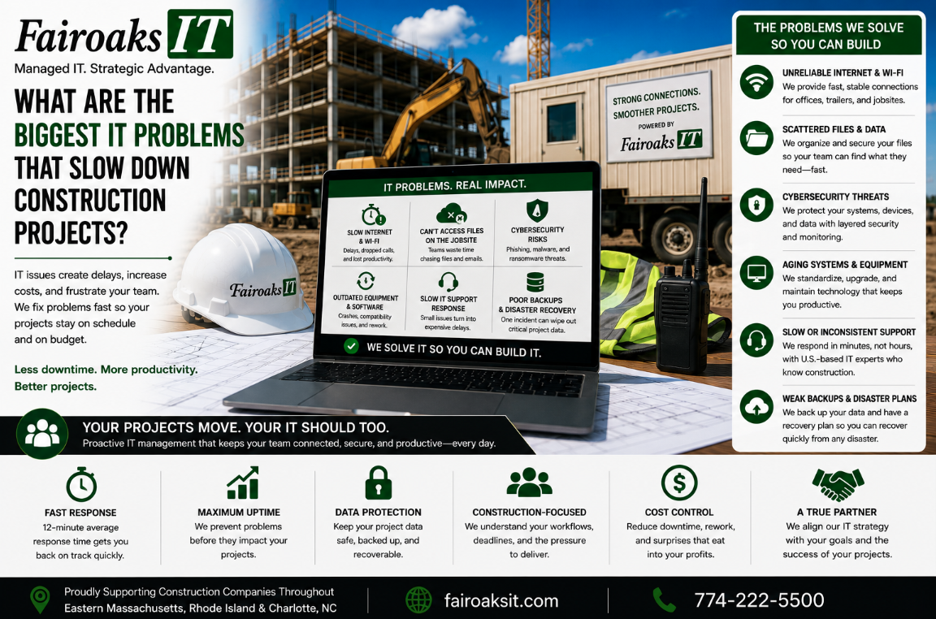
For general contractors, five technology problems deserve particular attention: unreliable jobsite connectivity, difficulty accessing current drawings and large files, inconsistent jobsite technology, problems with construction applications, and slow IT support.
A useful framework is:
Connect → Access → Standardize → Support → Improve
The objective isn't simply to keep computers running. It's to reduce the amount of time construction employees spend dealing with technology instead of managing projects.
- Unreliable Jobsite Internet and Wi-Fi
A construction company's IT environment doesn't end at headquarters.
Superintendents and project teams may be working from temporary trailers miles away from the main office.
Those employees still need to:
- Communicate with the office
- Upload daily reports
- Upload jobsite photos
- Retrieve drawings
- Access project information
- Use cloud applications
- Reach company resources
If the jobsite connection is unreliable, all of those activities can become more difficult.
One mistake is assuming that jobsite internet is simply a matter of calling an ISP and ordering service.
Sometimes it is.
Sometimes it isn't.
Fairoaks has worked with conventional Comcast and Verizon connections, wireless options, Starlink, temporary jobsite telephone-pole installations, neighboring facilities, and even solar-powered wireless equipment.
We evaluate the available options using three factors:
Throughput → Reliability → Cost
Throughput
Can the connection handle what employees actually need to do?
Reliability
Does it work consistently enough for the jobsite to depend on it?
Cost
Among the options that meet the requirements, which makes economic sense for the project?
The answer can change from one jobsite to another.
That's why the goal shouldn't be to standardize on one internet provider.
Standardize the process for selecting the right connection.
- Difficulty Getting the Right Drawings and Files Into the Field
Construction companies regularly work with large files and information that needs to move among the office, field, subcontractors, owners, and architects.
Your technology can technically be “working” while the workflow is still inefficient.
For example, employees might depend on:
- An office file server
- An older Windows server
- A Synology device
- VPN
- Remote Desktop
- Duplicate file repositories
- USB drives
The important question isn't:
“Can the superintendent access the file?”
It's:
“Can the superintendent reliably access the correct information when it's needed?”
A better approach starts by matching the workload to the appropriate platform.
For many commercial contractors, that may mean an environment involving:
| Function | Typical Platform |
| Project Management | Procore |
| Drawings | Bluebeam |
| CAD/BIM | Autodesk Construction Cloud |
| Company Files | SharePoint |
| Communication | Microsoft Teams |
The exact applications vary by contractor.
The principle doesn't.
Use the right system for the workload, and establish a clear source for current information.
A useful framework is:
Store → Control → Sync → Access → Verify
Store information appropriately.
Control who can reach it.
Keep it synchronized.
Make access practical for the field.
Then make sure employees can identify the current version.
- Every Jobsite Has a Different Technology Setup
This is one of the most preventable construction IT problems.
A contractor opens one project and installs one set of networking equipment.
Another project starts six months later and someone buys something different.
A third project uses another ISP, another router, and another configuration.
Documentation is incomplete or nonexistent.
Eventually there's a problem.
Now the IT provider first has to determine:
- What equipment is installed?
- How is it configured?
- Who provided the internet?
- What passwords or account information exist?
- How is this site different from the others?
- Who changed what?
Troubleshooting becomes harder because every location is effectively a custom environment.
Fairoaks approaches this differently.
We treat a jobsite trailer as an office—because it is one.
Our standardized jobsite technology approach typically uses a portable rack containing:
- Business-grade firewall
- Network switch
- Mini battery backup
- Standardized configuration
- Documentation
The external internet service may change based on the location.
The internal technology can remain much more consistent.
Use this framework:
Standard Equipment → Standard Configuration → Documentation → Repeatable Support
And when the project ends, the equipment can be retrieved and moved to another job.
Build → Deploy → Support → Retrieve → Redeploy
Standardization makes technology easier to understand and support across multiple active projects.
- Construction Applications Become an IT Finger-Pointing Exercise
General contractors may rely on specialized applications such as:
- Sage/Timberline
- Bluebeam
- AutoCAD
- On-Screen Takeoff
- ConEst/IntelliBid
- Bid2Win
- Trimble
- Other construction-specific systems
When one of those applications doesn't work, employees don't necessarily know why.
Is it the application?
The computer?
The server?
The network?
The internet connection?
Remote access?
A user account?
A file?
A third-party vendor?
From the employee's perspective, there's only one relevant fact:
“I can't do what I need to do.”
That's why construction companies benefit from an IT provider that understands the complete environment.
The employee shouldn't have to diagnose the technical cause before requesting help.
The MSP should be able to troubleshoot the technology surrounding the construction application and coordinate appropriately when another vendor needs to become involved.
Otherwise, the employee can end up stuck between vendors while everyone insists the problem belongs to somebody else.
- Slow IT Support Turns Small Problems Into Lost Time
Nearly every MSP claims to provide fast service.
Construction companies should ask for numbers.
Specifically:
What's your average response time?
And:
What's your average resolution time?
These measure different things.
Response time tells you how quickly the support process begins.
Resolution time tells you how quickly the problem is actually solved.
At Fairoaks IT, our average ticket response time is 12 minutes, and our average problem resolution time is 1.9 hours.
Why does that matter?
Because the person waiting for help has another job.
A project manager isn't employed to troubleshoot a laptop.
A superintendent shouldn't spend the morning diagnosing a trailer network.
An estimator shouldn't become the company's application-support technician.
When technology stops someone from working, the cost isn't limited to the IT bill.
It includes the employee time consumed by the problem.
- The Same IT Problems Keep Coming Back
Fast support is valuable.
Preventing recurring problems is better.
Suppose a trailer repeatedly loses connectivity.
One approach is to fix the connection each time an employee complains.
Ticket closed.
Then it happens again.
And again.
A better question is:
Why does this keep happening?
This is where managed IT should move beyond reactive support.
Use:
Identify → Diagnose → Standardize → Measure
Identify
Which problems occur repeatedly?
Diagnose
What's causing them?
Standardize
Can a technology or process standard prevent the issue across other employees or jobsites?
Measure
Did the change actually reduce the problem?
That's how IT support starts producing operational improvements rather than simply producing closed tickets.
Real-World Example: 75% Fewer Jobsite Communication Issues
Fairoaks recently took over IT support for a 40-person construction company operating multiple jobs throughout Eastern Massachusetts, Rhode Island and Charlotte, North Carolina.
The contractor had persistent problems communicating with its jobsite trailers.
Technical issues meant employees couldn't consistently upload daily reports or jobsite photos.
Keeping field personnel supplied with the latest drawings was also challenging.
At first glance, those could have been treated as individual IT support problems.
But when Fairoaks examined the environment, we found a broader issue.
There was no consistent standard for the company's jobsite technology.
Different trailers had different equipment.
Configurations varied.
Documentation was lacking.
Some sites weren't using the most suitable internet service available at their locations.
Those differences made problems more frequent and harder to troubleshoot.
Fairoaks worked with the contractor to develop and document a technology standard tailored to its jobsite requirements.
That standard was then deployed consistently.
The result was a 75% reduction in jobsite communication issues.
The important lesson isn't simply that Fairoaks fixed a networking problem.
It's that recurring IT issues can sometimes be reduced by identifying the underlying pattern and establishing a repeatable standard.
What Do IT Problems Actually Cost a Contractor?
The exact cost depends on the employee and situation, but contractors can use a simple framework:
People Affected × Time Lost × Cost of Employee Time
For example, if an employee's fully loaded cost were $50 per hour and an IT issue prevented that person from working productively for two hours:
1 employee × 2 hours × $50 = $100
If five people were affected for the same two hours:
5 × 2 × $50 = $500
Those are illustrative calculations—not Fairoaks client results.
And they still don't capture every potential business consequence.
A technology problem could also interfere with communication, project information, or work being coordinated in the field.
The important point is to stop treating recurring IT problems as free simply because there isn't a separate invoice attached to every minute of downtime.
Employee time has value.
10 Signs IT May Be Slowing Down Your Construction Company
Look for these patterns:
- Superintendents regularly complain about jobsite connectivity.
- Employees have difficulty retrieving drawings or large project files.
- Different jobsites use completely different networking equipment.
- Nobody has reliable documentation for trailer technology.
- Employees regularly use workarounds to access company information.
- Construction applications generate repeated support problems.
- Employees spend time figuring out whether to call the MSP, ISP, or software vendor.
- The same IT problems keep returning after tickets are closed.
- Your IT provider can't tell you its average response or resolution time.
- Technology problems are treated individually without looking for recurring causes.
If several of these sound familiar, the issue may be bigger than individual support tickets.
The company may need a more consistent technology strategy.
How Can a Construction Company Reduce IT Problems?
Start with five areas:
Connect
Make sure offices and jobsites have appropriate, reliable connectivity.
Access
Give employees practical access to the current applications and information they need.
Standardize
Reduce unnecessary differences among computers, networks, jobsites, and processes.
Support
Make sure employees know where to get help—and measure how quickly problems are resolved.
Improve
Track recurring problems and fix underlying causes instead of repeatedly treating symptoms.
Put together:
Connect → Access → Standardize → Support → Improve
That's a much better construction IT strategy than waiting for something to break.
The Best IT Problem Is the One Your Employees Don't Have
Construction companies don't hire superintendents, project managers, estimators, and office personnel to troubleshoot technology.
IT should support their work—not become another task on their list.
Fairoaks IT works with construction companies throughout Eastern Massachusetts, Rhode Island and Charlotte, North Carolina, including contractors with remote employees and multiple active jobsites.
Our construction experience includes jobsite connectivity, remote access, large project files, specialized construction applications, and standardized trailer technology.
Our average support statistics are 12 minutes to respond to a ticket and 1.9 hours to resolve a problem.
And for one 40-person construction client, identifying and standardizing the underlying technology supporting multiple jobsites contributed to a 75% reduction in jobsite communication issues.
Fast support matters.
But the bigger objective is:
Fewer recurring problems. Less employee time spent troubleshooting. More time spent building.