
Related Fairoaks resources: Essential IT on your construction job site | Construction IT checklist | Construction company IT support
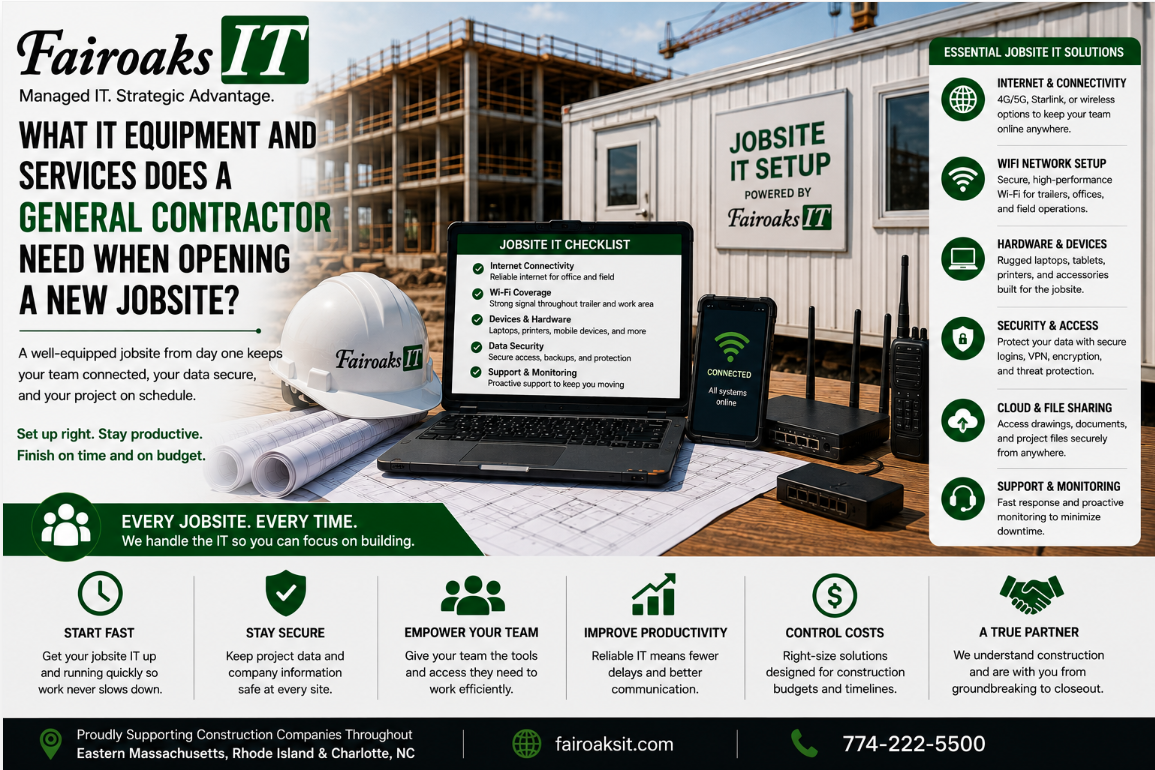
When a general contractor opens a new jobsite, the technology plan should cover at least five areas:
- internet connectivity
- networking equipment
- power protection
- secure access to company systems
- ongoing IT support
For a temporary jobsite trailer, Fairoaks IT typically uses a portable technology rack containing a business-grade firewall, network switch, and mini battery backup. That standardized equipment is then connected to the most appropriate internet service available at the site.
The key is to plan technology before employees arrive and need it.
A useful framework is:
Survey → Connect → Equip → Secure → Support
Following the same process for every new project helps eliminate the collection of different routers, configurations, passwords, and undocumented workarounds that can make jobsite technology unreliable and difficult to troubleshoot.
- Survey the Jobsite Before Choosing the Technology
The first step isn't ordering a router.
It's understanding the site.
Every construction project is different, and the internet service available at one location may be completely different from what's available at the next.
Before mobilization, determine:
- Where the jobsite trailer will be located
- What internet providers are available
- When service can be installed
- How many people will use the connection
- What applications they'll need
- Whether they'll work with large drawings or project files
- What other devices need network connectivity
- What power will be available in the trailer
- How long the project is expected to operate
Then evaluate the internet options using three criteria:
Throughput → Reliability → Cost
Throughput
What does the field team actually need to do?
Email and basic web browsing have different requirements from uploading large quantities of jobsite photos, retrieving drawings, using cloud construction applications, or working with large project files.
Reliability
How dependable is the available service?
A fast connection isn't useful if the field regularly loses access to it.
Cost
Once you've identified options that meet the operational requirements, compare their costs.
Don't automatically choose the cheapest service.
And don't automatically choose the technology with the biggest advertised speed.
Choose the connection that fits the job.
- Connect the Jobsite to the Best Available Internet Service
Sometimes jobsite connectivity is straightforward.
The contractor calls the local ISP, schedules installation, and the provider installs service directly in the trailer.
Other sites aren't so simple.
Fairoaks has worked with a range of connectivity approaches, including:
- Comcast
- Verizon
- Wireless/cellular connections
- Starlink
- Solar-powered wireless modems
We've also encountered projects requiring less conventional solutions.
We've mounted Comcast or Verizon equipment on temporary jobsite telephone poles.
We've worked with neighboring businesses to obtain access to a utility closet or arrange connectivity.
And there are plenty of projects where the best answer is simply having the ISP install its equipment directly in the trailer.
There isn't one internet technology that's right for every construction site.
That's why the process starts with the site rather than the product.
- Equip the Trailer With a Standard Technology Stack
Once connectivity is identified, the trailer needs appropriate networking equipment.
Fairoaks treats a construction trailer as an office.
Because it is one.
Our standard jobsite approach typically includes a portable rack containing:
Business-Grade Firewall
The internet connection should feed into a properly configured business firewall rather than relying solely on whatever consumer-style networking device happens to come with the internet service.
The firewall provides the foundation for controlling and protecting network connectivity.
Network Switch
The switch provides the wired network infrastructure needed for devices in the trailer.
Using standardized equipment also makes it easier for the IT provider to know what's installed and how it's configured.
Mini Battery Backup
This one is particularly important on construction sites.
Trailer power can be notoriously unreliable.
A small battery backup helps protect critical network equipment from interruptions and unstable power conditions.
The objective isn't to operate the entire trailer indefinitely during an outage.
It's to provide appropriate protection for the network equipment employees depend on.
Portable Rack
Putting the core equipment into a portable rack makes the entire setup easier to standardize and reuse.
When the project ends, the contractor doesn't need to abandon the setup or reinvent it at the next job.
Pick up the rack and move it to the next project.
This creates a simple lifecycle:
Build → Deploy → Support → Retrieve → Redeploy
- Secure Access to Company and Project Information
Getting internet into the trailer isn't the end goal.
The real objective is giving employees reliable access to the systems and information they need.
Depending on the contractor, that might include:
- Project-management systems
- Drawings
- CAD/BIM information
- Daily reports
- Jobsite photos
- Company files
- Microsoft Teams
- Other line-of-business applications
Commercial contractors may use platforms such as Procore for project management, Bluebeam for drawings, Autodesk Construction Cloud for CAD/BIM, SharePoint for company files, and Teams for communication.
Whatever applications the contractor uses, access should be planned before the project starts.
Ask:
- Who will work from this jobsite?
- What applications will they need?
- What project information will they need?
- What company systems will they access?
- How will outside parties be given appropriate access?
- What happens when someone's access is no longer required?
Security and usability need to work together.
If field employees can't practically access the company's approved systems, they're more likely to create workarounds.
The goal is:
Make the correct way to access information the easiest practical way to access it.
- Standardize and Document the Configuration
A contractor running multiple projects shouldn't have to solve the same technology problem differently every time.
Without a standard, environments tend to evolve like this:
Jobsite A: one router and configuration.
Jobsite B: different equipment purchased by someone else.
Jobsite C: another internet provider and another configuration.
Jobsite D: nobody is entirely sure what's installed.
Eventually there's a problem, and troubleshooting begins with figuring out how that particular trailer was assembled.
Standardization changes that.
Use the same basic technology stack whenever practical and document:
- Equipment installed
- Internet provider
- Account/service information as appropriate
- Network configuration
- Firewall configuration
- Wireless configuration
- Important connection information
- Site-specific exceptions
The objective is:
Standard Equipment → Standard Configuration → Documentation → Repeatable Support
There will always be exceptions because jobsites differ.
That's fine.
The standard provides a known starting point, while the documentation identifies what's different about a particular location.
- Make Sure Someone Is Responsible for Supporting the Jobsite
One item is often missing from new-jobsite technology plans:
Who owns the problem when something stops working?
If nobody knows, the superintendent can become the default IT department.
That's not a good use of the superintendent's time.
Before the project starts, determine who supports:
- Internet connectivity
- Firewall and networking equipment
- Wi-Fi
- Computers and other devices
- Remote access
- Construction applications
- Company file access
- User support
The contractor shouldn't have to diagnose whether an issue is caused by the ISP, firewall, Wi-Fi, laptop, cloud platform, or office network before asking for help.
That's part of the value of having an IT provider that understands the complete environment.
At Fairoaks IT, our average ticket response time is 12 minutes, and our average problem resolution time is 1.9 hours.
For construction companies, those numbers matter because employees in the field have projects to manage—not IT problems to troubleshoot.
- Plan for the Jobsite Closing Before It Opens
Temporary jobsites have a lifecycle.
Technology planning should account for the end of the project from the beginning.
When the project closes:
- What equipment belongs to the contractor?
- What equipment belongs to the ISP?
- Which services need to be canceled?
- Where will the networking equipment go?
- What documentation needs to be updated?
- Is the equipment going directly to another project?
- Does anyone's access need to be removed?
This is another advantage of using a portable, standardized technology stack.
The company can retrieve the equipment, prepare it for the next job, and redeploy it.
Instead of every new project becoming a new IT project, the process becomes repeatable.
Real-World Example: Standardizing Technology Across Multiple Jobsites
Fairoaks recently took over IT support for a 40-person construction company running multiple projects throughout Eastern Massachusetts, Rhode Island and Charlotte, North Carolina.
The contractor was experiencing frequent problems communicating with its jobsite trailers.
Employees weren't consistently able to upload daily reports and jobsite photos, and keeping field personnel supplied with the latest drawings was challenging.
When we reviewed the environment, we discovered an important underlying problem:
There was no consistent standard for setting up the company's jobsite trailers.
Different trailers had different equipment.
Configurations varied.
Documentation was lacking.
That meant problems occurred frequently and were more difficult to troubleshoot.
Some trailers also weren't using the most suitable internet service available at their locations.
Fairoaks worked with the contractor to develop and document a jobsite technology standard tailored to its needs and deploy that standard consistently.
The result was a 75% reduction in jobsite communication issues.
The important lesson wasn't that every construction trailer needs exactly the same internet connection.
They don't.
The improvement came from creating a repeatable technology standard while still selecting connectivity appropriate for each individual jobsite.
15-Point New Jobsite IT Checklist
Before employees begin working from a new construction site, review these 15 questions:
Internet
- What internet services are available at the site?
- What throughput does the field team require?
- Which available option provides the appropriate combination of reliability and cost?
Network
- Is a business-grade firewall ready to deploy?
- Is the required network switch available?
- Is Wi-Fi coverage appropriate for where employees will work?
Power
- Is critical networking equipment protected with a battery backup?
Applications and Files
- Can employees access the construction applications they need?
- Can field personnel reliably retrieve current drawings?
- Can employees upload daily reports and jobsite photos?
- Can authorized users securely access company files?
Security
- Do employees have the appropriate accounts and permissions?
- Is access configured securely rather than through undocumented workarounds?
Support
- Is the complete jobsite configuration documented?
- Does everyone know who to contact when there's an IT problem?
If those 15 questions have answers before mobilization, the technology is much less likely to become an emergency after the project begins.
The Best Jobsite IT Setup Is Repeatable
Opening a new construction site shouldn't mean rebuilding the company's IT environment from scratch.
Use the five-step framework:
Survey → Connect → Equip → Secure → Support
Survey the location and requirements.
Connect the site using the most appropriate available internet service.
Equip the trailer with standardized networking and power-protection equipment.
Secure access to the applications and information the field needs.
Then document and support the environment throughout the project.
When the project ends:
Retrieve it and redeploy it.
Fairoaks IT works with construction companies throughout Eastern Massachusetts, Rhode Island and Charlotte, North Carolina, supporting the technology connecting their main offices, remote employees, and temporary jobsites.
Our experience includes conventional ISP connections, cellular and wireless options, Starlink, unusual jobsite installations, portable networking equipment, remote access, and construction applications.
For one 40-person contractor operating multiple jobsites, implementing a standardized jobsite technology approach contributed to a 75% reduction in jobsite communication issues.
A jobsite trailer may be temporary.
The technology standard supporting it shouldn't be.