
Related Fairoaks resources: Cloud computing and secure data access | Construction company IT support | Managed security services
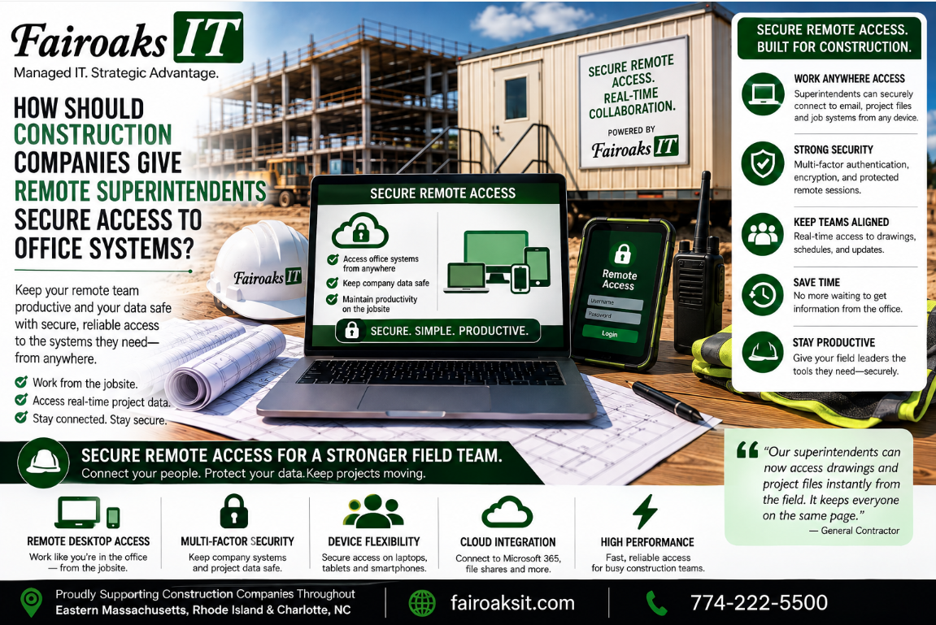
Construction companies should give remote superintendents access based on what they need to do—not simply provide a VPN connection to everything in the office. A practical approach is to identify the applications and files each employee needs, use cloud platforms where appropriate, secure user identities and devices, provide reliable jobsite connectivity, and document how remote access works.
For a general contractor, that can mean providing access to systems such as Procore, Bluebeam, Autodesk products, SharePoint, Teams, Sage/Timberline, estimating applications, and company files without forcing every workflow through an aging office server.
Use this five-step framework:
Identify → Connect → Secure → Access → Support
The objective is simple:
Give the right employee secure access to the right information from the jobsite without turning the superintendent into an IT technician.
- Identify What the Superintendent Actually Needs
Don't start by asking:
“How do we give the superintendent remote access to the office?”
Start with:
“What does this person actually need to access?”
Those questions sound similar, but they can produce very different technology solutions.
A superintendent might need:
- Project-management information
- Current drawings
- Jobsite photos
- Daily reports
- Company files
- Microsoft Teams
- Construction applications
- Information stored in an office-based system
Not everything necessarily belongs in the same place or requires the same method of access.
For example, a commercial construction environment might use:
| Function | Typical Platform |
| Project Management | Procore |
| Drawings | Bluebeam |
| CAD/BIM | Autodesk Construction Cloud |
| Company Files | SharePoint |
| Communication | Microsoft Teams |
Other construction applications may still have different requirements.
Fairoaks' construction clients may also use applications such as Sage/Timberline, AutoCAD, On-Screen Takeoff, ConEst/IntelliBid, Bid2Win, and Trimble.
Before designing remote access, create a simple inventory:
Person → Application → Information → Location
Who needs access?
What do they need?
Where does that information or application live?
Only then should you decide how the employee will reach it.
- Make Sure the Jobsite Has Reliable Connectivity
Secure remote access doesn't work particularly well without reliable internet access.
That sounds obvious, but it's easy to separate “remote access” from “jobsite internet” when they're really parts of the same workflow.
A superintendent might have the correct laptop, account, permissions, and software but still struggle to work if the trailer's internet connection is unreliable.
Fairoaks evaluates jobsite connectivity using three factors:
Throughput → Reliability → Cost
Throughput
Can the connection handle what the superintendent actually needs to do?
Working with email is different from retrieving drawings, uploading large numbers of photos, or accessing data-intensive applications.
Reliability
Does the connection work consistently enough to depend on throughout the workday?
Cost
Among the solutions that meet the requirements, which provides the best fit for the project?
Depending on the location, Fairoaks has worked with conventional Comcast and Verizon connections, cellular or wireless solutions, Starlink, temporary installations, and other approaches.
The technology may vary.
The requirement doesn't:
The field needs reliable connectivity before remote access can be reliable.
- Secure the Employee, Device, and Connection
Remote access needs to be convenient enough that employees actually use it—but it also needs to protect company information.
Think about security in three layers:
Identity → Device → Connection
Identity
The company should know who is accessing its systems.
Employees should use their own authorized accounts rather than shared credentials.
Access should correspond to the person's role and responsibilities.
And when someone no longer needs access, the company should be able to remove it.
Device
The computer or other device being used to reach company information also matters.
A secure application doesn't solve every problem if company information is being accessed from an unmanaged or poorly protected device.
Connection
Finally, determine how the employee will securely reach the required resource.
Depending on the application and environment, this may involve a cloud platform or an appropriate remote-access technology.
The goal is not:
“Give everyone access to everything.”
It's:
“Give authorized employees the access required to do their jobs.”
- Don't Use VPN or RDP as the Answer to Every Problem
VPN and Remote Desktop can have legitimate uses.
Fairoaks' construction profile specifically identifies RDP and VPN among the technologies used to provide remote access.
But that doesn't mean every remote workflow should automatically be:
Jobsite → VPN → Office Server → File
or:
Jobsite → Remote Desktop → Office Computer → Application
Construction technology has changed.
Many contractors now use platforms designed to make information available to distributed teams.
Project information may live in Procore.
Drawings may be handled through Bluebeam.
CAD/BIM workflows may use Autodesk Construction Cloud.
Company files may be appropriate for SharePoint.
Communication may happen through Teams.
The better question is:
Where should this workload live, and what's the simplest secure way for the employee to use it?
If an application genuinely needs to remain in the office environment, remote-access technology may be appropriate.
If the application already provides an appropriate cloud workflow, forcing the employee to remote into an office computer first may create unnecessary complexity.
Use:
Workload first → Access method second.
- Make Current Drawings and Project Information Easy to Find
One of the worst outcomes of a poorly designed remote-access system is that employees begin creating their own workarounds.
If accessing a current drawing is difficult, someone may save a copy locally.
Then another version gets emailed.
Someone else puts one in a Dropbox folder.
Another copy ends up on a USB drive.
Eventually the technology problem becomes an information problem:
Which version is current?
For project files and drawings, use the framework:
Store → Control → Sync → Access → Verify
Store
Establish where the authoritative information belongs.
Control
Give access to the people who require it.
Sync
Keep information current across the workflow.
Access
Make it practical for field employees to retrieve it.
Verify
Make sure employees can determine that they're using the correct version.
Secure remote access shouldn't simply allow a superintendent to reach a file.
It should help the superintendent reach the right file.
- Standardize the Technology at the Jobsite
Remote access is easier to support when the jobsite itself isn't a mystery.
If every trailer has different equipment, configurations, internet service, and undocumented changes, troubleshooting becomes more difficult.
Fairoaks treats a jobsite trailer like an office—because it is one.
Our standardized jobsite technology approach typically includes a portable rack with:
- Business-grade firewall
- Network switch
- Mini battery backup
- Standardized configuration
- Documentation
The external internet connection can change depending on the site.
The internal technology remains as consistent as practical.
That creates:
Variable Internet + Standard Internal Network
For contractors with multiple active jobsites, standardization can make remote support significantly more manageable.
When a superintendent calls with a problem, the IT provider shouldn't have to start by figuring out what equipment somebody bought for that particular trailer.
- Give Superintendents One Place to Get Help
A superintendent shouldn't need to determine whether an access problem belongs to:
- The ISP
- The firewall
- Wi-Fi
- Microsoft
- Procore
- Bluebeam
- Autodesk
- An office server
- A laptop
- Another software vendor
From the superintendent's perspective, the problem is:
“I can't get what I need.”
The IT provider's job is to diagnose why.
That's one reason construction-specific IT experience matters.
The provider needs to understand how the pieces connect from the employee's device through the jobsite network and internet connection to the application or information being accessed.
Support should follow:
Respond → Diagnose → Resolve → Measure
At Fairoaks IT, our average ticket response time is 12 minutes, and our average problem resolution time is 1.9 hours.
Those metrics matter because superintendents have projects to manage.
They shouldn't spend their time coordinating multiple technology vendors whenever something stops working.
Real-World Example: Improving Field Access for a 40-Person Contractor
Fairoaks recently took over IT support for a 40-person construction company operating multiple jobs throughout Eastern Massachusetts, Rhode Island and Charlotte, North Carolina.
The contractor was struggling with reliable communication between its field operations and jobsite trailers.
Technical issues meant employees couldn't consistently upload daily reports and jobsite photos.
Keeping the field updated with the latest drawings was also challenging.
When Fairoaks investigated, we found that the company didn't have a consistent technology standard across its trailers.
Different locations had different equipment and configurations.
Documentation was lacking.
Some sites weren't using the most suitable available internet service.
Instead of continuing to treat those issues as unrelated support tickets, Fairoaks worked with the contractor to develop and document a standardized jobsite technology approach tailored to its operations.
The standard was then deployed consistently.
The contractor experienced a 75% reduction in jobsite communication issues.
That result wasn't produced by one remote-access product.
It came from improving the technology environment supporting communication between the office and field.
That's an important distinction.
Reliable remote access is a system—not a button labeled “VPN.”
10 Questions to Ask About Remote Access for Construction Employees
Use this checklist when evaluating your current environment:
- What applications does each field employee actually need?
- Where does the authoritative project information live?
- Can superintendents reliably access current drawings from the jobsite?
- Does every employee have an individual account?
- Is access limited to what each person needs?
- Are company devices appropriately managed and protected?
- Are employees using workarounds because the approved process is too difficult?
- Does the jobsite have enough internet reliability and throughput for the required applications?
- Is the jobsite network standardized and documented?
- Does the superintendent know exactly who to call when access stops working?
Several “no” answers indicate that the remote-access process deserves attention.
What's the Best Remote-Access Setup for a Construction Company?
There isn't one technology that every contractor should deploy.
The correct solution depends on the applications, information, employees, jobsites, and existing technology environment.
Start with the five-step framework:
Identify → Connect → Secure → Access → Support
Identify what the employee actually needs.
Connect the jobsite reliably.
Secure the user's identity, device, and connection.
Access each workload using an appropriate method.
Support the complete environment when something goes wrong.
And avoid starting with:
“We need a VPN.”
Start with:
“What does our field team need to accomplish?”
Then build the technology around that requirement.
Fairoaks IT works with construction companies throughout Eastern Massachusetts, Rhode Island and Charlotte, North Carolina, including contractors with remote superintendents and multiple active jobsites.
Our construction experience includes remote access, RDP and VPN, jobsite connectivity, large-file sharing, and applications such as Sage/Timberline, Bluebeam, AutoCAD, On-Screen Takeoff, ConEst/IntelliBid, Bid2Win, and Trimble.
Our average support response time is 12 minutes, and our average problem resolution time is 1.9 hours.
For one 40-person contractor, standardizing the technology supporting multiple jobsites contributed to a 75% reduction in jobsite communication issues.
The goal isn't to give a superintendent remote access to the office.
The goal is to give the superintendent reliable, secure access to the information needed to run the job.