

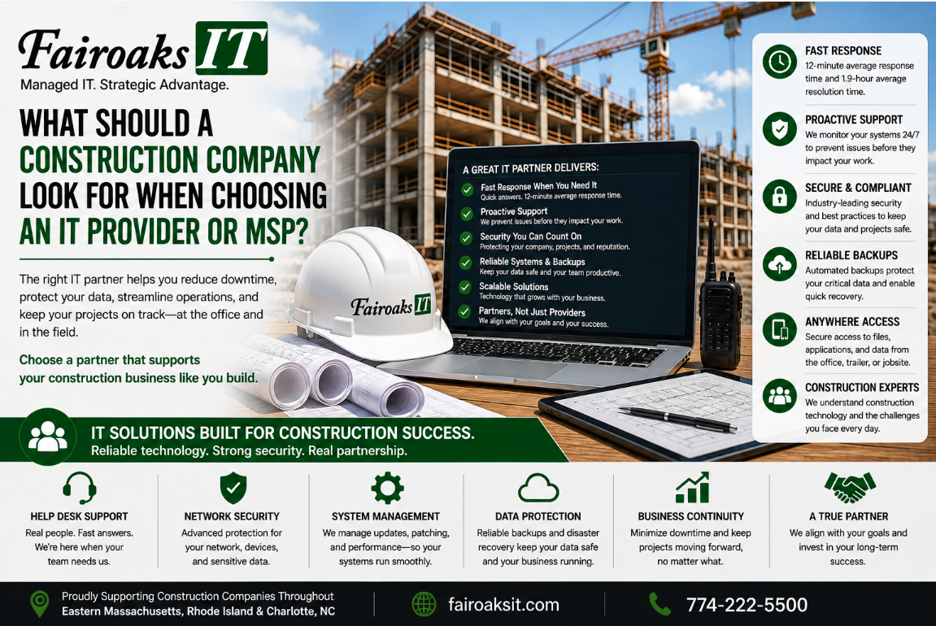
A construction company should evaluate an IT provider on at least five areas: construction industry experience, response and resolution times, jobsite support, cybersecurity, and predictable pricing.
For companies in Eastern Massachusetts, Rhode Island and Charlotte, North Carolina, comprehensive managed IT services may cost approximately $150–$250 per user per month, depending on the complexity of the environment and compliance requirements.
But price alone doesn't tell you whether an IT provider is a good fit.
Construction companies operate differently from traditional office businesses. Superintendents and project teams work from temporary jobsites. Large drawings need to move between the office and field. Jobsite trailers need reliable internet. Applications such as Bluebeam, Procore, Autodesk products, and estimating systems need to work when employees need them.
Before choosing an MSP, use this five-part framework:
Construction Experience → Response Times → Jobsite Capability → Security → Cost & Fit
1. Does the IT Provider Understand Construction?
Start here.
Supporting a general contractor isn't the same as supporting a company where everyone works from one office.
A construction IT provider needs to understand the connection between the main office and the field.
That can include supporting:
- Remote superintendents
- Temporary jobsite trailers
- Large drawings and project files
- Office-to-field connectivity
- Remote access
- Construction-specific applications
- Communication with subcontractors, architects, owners, and other project stakeholders
The applications themselves can also present unique requirements. Depending on the contractor, those might include Sage/Timberline, Bluebeam, AutoCAD, On-Screen Takeoff, ConEst/IntelliBid, Bid2Win, Trimble, and other construction applications.
Don't simply ask a prospective MSP, “Do you work with construction companies?”
Go deeper.
Ask questions such as:
- How do you connect a new jobsite trailer?
- How do you support a superintendent working remotely?
- What construction applications have you supported?
- How do you handle large drawing and project files?
- What happens when conventional internet service isn't readily available at a jobsite?
- How do you keep technology consistent across multiple active jobsites?
The answers will tell you much more than a construction logo on an MSP's website.
2. What Are Their Actual Response and Resolution Times?
Nearly every IT company promises “fast support.”
That isn't specific enough.
Ask for two numbers:
Average response time: How long does it typically take before someone responds to a support request?
Average resolution time: How long does it typically take to actually solve the problem?
These aren't the same thing.
An IT company can respond to a ticket quickly without resolving it quickly.
At Fairoaks IT, our average ticket response time is 12 minutes and our average problem resolution time is 1.9 hours.
Those are measurable service statistics—not simply a promise that we'll respond “as soon as possible.”
For a construction company, response and resolution times matter because an IT problem can affect more than an employee's convenience.
A superintendent who can't retrieve information, a project manager who can't access a critical application, or a trailer that loses connectivity can interfere with work happening in the field.
When evaluating an MSP, ask:
- What is your average response time?
- What is your average resolution time?
- How are urgent problems prioritized?
- How do you support employees at remote jobsites?
- Can you show us the service metrics you actually track?
Measure the MSP based on results, not adjectives.
3. Can They Support Both the Office and the Jobsite?
A construction company's technology doesn't stop at the office door.
One of the best tests of a prospective MSP is what we call the Trailer-to-Office Test:
Can this provider reliably support our people and technology from the main office all the way to a temporary jobsite trailer?
At Fairoaks, we treat a jobsite trailer like an office—because it is one.
A trailer may need reliable internet, networking equipment, Wi-Fi, power protection, secure access to company resources, and support when something goes wrong. Learn more about Fairoaks IT’s construction IT support for office and jobsite environments.
Internet connectivity can be particularly challenging because every jobsite is different.
Depending on location and availability, a solution might involve conventional cable or fiber service, cellular connectivity, Starlink, or another approach.
We've encountered jobsites where solving the problem required more than simply calling the local ISP.
We've mounted Comcast or Verizon equipment on temporary jobsite telephone poles. We've worked with neighboring businesses to gain access to a utility closet or connectivity. We've deployed solar-powered wireless equipment. We've used Starlink.
And sometimes the best solution really is as simple as having the ISP install its router in the trailer.
The important point is that the technology should fit the jobsite rather than forcing every jobsite into the same connectivity solution.
4. How Will They Protect and Share Your Information?
Construction companies have another challenge: information needs to be both secure and accessible.
Project teams may need to work with drawings, estimates, photos, daily reports, contracts, schedules, and other company and project information from different locations.
A useful framework is:
Protect → Access → Share
Protect
How will the MSP protect company systems and information from unauthorized access, cyberattacks, lost devices, and other risks? Review the provider’s managed security services so you understand the security controls included in the relationship.
Access
Can authorized employees get the information and applications they need from the office, home, or jobsite? For many contractors, that also means thoughtfully using cloud computing and secure data access where it makes sense.
Share
Can the company efficiently share appropriate information with subcontractors, architects, owners, and other outside parties without creating uncontrolled copies everywhere?
Security that prevents employees from doing their jobs isn't a successful solution.
But convenience without adequate security isn't one either.
A construction-focused IT provider should be able to help you balance the two.
5. How Do Price, Scope, and Business Fit Compare?
Once you've narrowed your choices, don't compare MSPs based on monthly price alone.
Compare:
Price + Included Services + Response Commitment + Security + Construction Expertise
For the types of 10–100 employee businesses Fairoaks typically supports, managed IT services generally range from approximately $150–$250 per user per month, depending on factors such as complexity and compliance requirements.
A lower quote isn't necessarily a better deal if critical services aren't included.
Likewise, paying for an elaborate technology package that doesn't fit the contractor's actual needs doesn't create value.
Ask each provider to explain:
- What's included in the monthly fee?
- What's excluded?
- What security services are included?
- How is remote and jobsite support handled?
- What happens when new employees or jobsites are added?
- Are there additional project or onboarding charges?
- What compliance requirements could change the cost?
The objective isn't necessarily to find the cheapest MSP.
It's to understand what you're buying and whether the provider can support the way your construction company actually operates.
Real-World Example: Standardizing IT for a 40-Person Construction Company
Fairoaks recently took responsibility for IT support for a 40-person construction company running multiple jobs throughout Eastern Massachusetts and Rhode Island.
The company was having difficulty maintaining reliable communication with its jobsite trailers.
Technical problems meant employees couldn't consistently upload daily reports or jobsite photos. Keeping field personnel supplied with the latest drawings was also challenging.
When we examined the environment, we found a larger underlying issue.
There was no consistent technology standard across the company's jobsite trailers.
Different trailers had different equipment and configurations. Documentation was lacking. Problems were frequent and difficult to troubleshoot. Some jobsites weren't using the most suitable internet service available for their locations.
Fairoaks worked with the contractor to develop and document a standardized jobsite technology approach tailored to the company's needs.
That standard was then deployed consistently.
The result was a 75% reduction in jobsite communication issues.
The lesson wasn't simply that the contractor needed “better IT.”
They needed technology designed around how a construction company actually operates—and a repeatable standard that could be supported across multiple jobsites.
For additional context on real client outcomes and testimonials, visit Fairoaks IT’s client stories.
Five Questions to Ask Before Choosing a Construction IT Provider
If you're evaluating MSPs, start with these five questions:
- How many construction companies have you supported, and what construction-specific problems have you solved?
- What are your actual average response and resolution times?
- How would you support our office, remote employees, and temporary jobsite trailers?
- How will you protect our information while keeping it accessible to people in the field?
- What exactly is included in your monthly price, and what could cost extra?
A strong provider should be able to answer these questions with numbers, processes, and real examples.
Choosing an MSP That Understands Construction
The right IT provider for a general contractor should understand more than servers, computers, and cybersecurity.
They need to understand how technology affects construction operations.
That means helping keep the office connected to the field, supporting remote superintendents, dealing with temporary jobsites, providing access to large project files, supporting construction applications, protecting company information, and responding quickly when something stops working.
Fairoaks IT works with construction companies in Eastern Massachusetts, Rhode Island and Charlotte, North Carolina, including contractors managing multiple active jobsites.
Our construction IT experience includes remote jobsite connectivity, construction applications, secure remote access, large-file sharing, and standardized jobsite technology.
And we measure support with actual numbers: 12-minute average ticket response and 1.9-hour average problem resolution.
If you're evaluating IT providers, don't settle for “We're responsive,” “We're secure,” or “We understand your industry.”
Ask for the numbers. Ask for the process. Ask for an example.
Ready to discuss your office-to-jobsite technology needs? Contact Fairoaks IT to schedule a conversation.